Understanding Plant 3D Modeling Basics
What is Plant 3D Modeling?
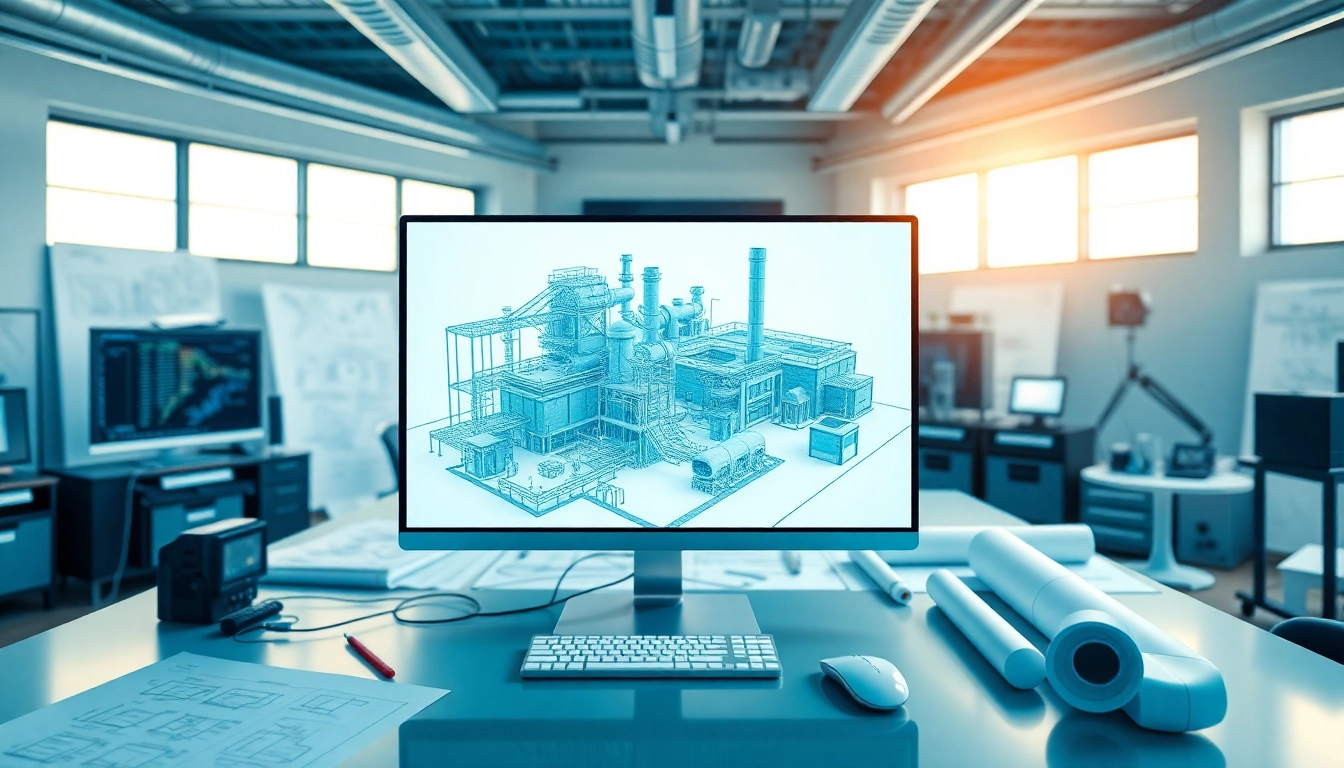
Plant 3D modeling is a specialized technique used in the design and visualization of piping, equipment, and structures that are essential in process plants, such as those in the chemical, pharmaceutical, and oil industries. This form of modeling utilizes advanced software tools that enable designers to create detailed 3D representations of industrial plants. Through Plant 3D modeling, engineers and designers can simulate the construction process, optimize layouts, and generate necessary documentation like Piping and Instrumentation Diagrams (P&IDs), which illustrate the relationships and connections between process equipment. The system inherently combines ease of use with powerful features, making it a go-to solution for plant design.
Benefits of Using Plant 3D Modeling
The advantages of implementing Plant 3D modeling in industrial projects are numerous. Here are some key benefits:
- Improved Accuracy: The precision of 3D modeling eliminates guesswork during the planning phase, allowing for error-free construction.
- Enhanced Visualization: Stakeholders can visualize complex designs in 3D, promoting better decision-making and collaboration across teams.
- Streamlined Communication: Clear models facilitate communication among engineers, architects, and clients, reducing misunderstandings and project delays.
- Efficiency Gains: Time-saving features such as automated updates and tools for rapid design alterations enhance overall efficiency in project timelines.
- Integrated Workflows: The ability to integrate with other software tools improves workflow across disciplines and stakeholders.
Core Features of Plant 3D Modeling Software
Plant 3D modeling software is equipped with a variety of features that cater specifically to the needs of industrial designers. Some core features include:
- Piping Design: Advanced tools for designing and laying out piping systems that account for various factors including flow direction, pressure ratings, and material specifications.
- Equipment Modeling: The ability to incorporate detailed models of pumps, valves, tanks, and other equipment commonly found in process plants.
- Structural Support: Tools for adding structural supports to piping and equipment, ensuring stability and compliance with engineering standards.
- P&ID Integration: Seamless linking of piping design with P&IDs, enabling real-time modifications and updates across both components.
- Documentation Generation: Automated generation of construction documents, including bills of materials and isometric drawings.
Getting Started with Plant 3D Modeling
System Requirements for Plant 3D Modeling
Before diving into Plant 3D modeling, understanding the system requirements is crucial. The software typically runs on Windows-based systems and requires:
- Operating System: Windows 10 or later
- Processor: Minimum dual-core, recommended quad-core
- RAM: Minimum 8 GB, recommended 16 GB or more
- Graphics Card: DirectX 11 compatible graphics card with at least 1 GB of memory
- Hard Drive: A minimum of 10 GB available hard disk space
First Steps in Plant 3D Modeling Setup
Setting up the Plant 3D modeling environment involves a few essential steps:
- Install the Software: Follow the installation guidelines provided in the setup wizard. Ensure that all system requirements are met.
- Configure Preferences: Customize your workspace settings, including units of measurement, grid settings, and display options.
- Create a New Project: Start by selecting the project template that closely matches your design requirements.
- Set Up Project Structure: Organize the folder structure for models, drawings, and documentation to facilitate easy access and updates.
Creating Your First Project in Plant 3D Modeling
Embarking on your first Plant 3D modeling project can be both exciting and challenging. Here’s a step-by-step approach to creating your first project:
- Launch the Application: Open the Plant 3D software and navigate to the “New Project” option.
- Choose Project Type: Select whether you want to create a new piping project, equipment, or structural model.
- Import Existing Designs: If applicable, you can import existing P&IDs or 2D layouts to use as references.
- Add Components: Use the library of plant components to begin laying out your pipes, valves, and equipment.
- Refine the Design: Continuously assess the layout for optimal routing, and make adjustments as needed.
Advanced Techniques in Plant 3D Modeling
Optimizing Workflows in Plant 3D Modeling
To maximize the efficiency of your Plant 3D modeling projects, it is essential to optimize your workflows:
- Utilize Templates: Develop standard templates for common components to reduce repetitive tasks.
- Leverage Batch Processing: Manage large datasets or multiple models with batch processing tools to minimize manual entry.
- Automate Repetitive Tasks: Use macros or scripting to automate recurring tasks such as generating reports or drawing annotations.
- Collaboration Tools: Implement collaboration features that allow for real-time feedback and adjustments from team members.
Integrating P&IDs with Plant 3D Modeling
Integrating Piping and Instrumentation Diagrams (P&IDs) with Plant 3D modeling enhances the design process significantly:
- Linking Diagrams: Establish a direct connection between P&IDs and your 3D models, which ensures that changes made in one are reflected in the other.
- Using Symbols: Use standardized symbols for components to maintain consistency and improve clarity in both 3D and 2D representations.
- Implementing Change Management: Develop a change management strategy to keep track of modifications and their implications across cross-discipline teams.
Enhancing 3D Models with Realistic Texturing
To create compelling and effective visualizations, enhancing your 3D models with realistic texturing is essential:
- Material Libraries: Utilize pre-defined textures and materials to give components a lifelike appearance.
- Lighting Techniques: Implement appropriate lighting techniques to simulate real-world conditions, improving the aesthetic quality of presentations.
- Rendering Options: Explore various rendering options to create high-quality images for use in presentations and reports.
Common Challenges and Solutions in Plant 3D Modeling
Troubleshooting Common Plant 3D Modeling Issues
Even with a robust software solution, challenges can arise during the modeling process. Here’s how to address common problems:
- Data Corruption: Regularly back up your projects and consider using version control to mitigate the risks of data loss.
- Compatibility Issues: Ensure that all users are working with the same software version to prevent compatibility conflicts.
- Model Performance: Optimize the size of your 3D models by using simpler geometry for distant objects to enhance performance.
Best Practices in Plant 3D Modeling
Adopting best practices can lead to more successful project outcomes in Plant 3D modeling:
- Regular Training: Ensure that team members are well-trained in the software to minimize errors and maximize efficiency.
- Document Everything: Keep detailed documentation of design decisions, workflows, and changes to facilitate smoother transitions between phases.
- Engage Stakeholders: Involve stakeholders throughout the process to gather feedback and ensure all requirements are met.
Learning Resources for Continuous Improvement
Continuous learning is crucial in the fast-evolving field of Plant 3D modeling. Here are some recommended resources:
- Online Courses: Many platforms offer courses specific to Plant 3D software, covering both fundamental and advanced topics.
- YouTube Tutorials: Video tutorials can provide visual guidance and tips from experienced users in real-time.
- Community Forums: Engage with online communities to share experiences, tips, and tackle project challenges collaboratively.
Future Trends in Plant 3D Modeling Technology
The Role of AI in Plant 3D Modeling
Artificial Intelligence (AI) is poised to revolutionize the Plant 3D modeling industry. Here’s how:
- Design Automation: AI can analyze design patterns and automate repetitive tasks, increasing overall productivity.
- Predictive Analysis: AI algorithms can predict project risks based on historical data, allowing teams to proactively address potential issues.
- Enhanced Accuracy: Machine learning techniques can improve model accuracy by learning from user inputs and past projects.
Sustainability Considerations in Plant 3D Modeling
As sustainability becomes a priority, Plant 3D modeling must align with eco-friendly practices:
- Energy Efficiency: Model designs that minimize energy consumption and optimize resource usage.
- Waste Reduction: Foster designs that reduce material waste during construction, promoting sustainability.
- Simulation of Innovations: Use modeling software to simulate new technologies and systems focused on sustainability.
Emerging Tools and Technologies in Plant 3D Modeling
The ecosystem surrounding Plant 3D modeling is continually evolving, with new tools enhancing the modeling experience:
- Cloud Collaboration: Tools that allow real-time collaboration on projects in the cloud, enhancing collective decision-making.
- Augmented Reality (AR): AR tools can visualize models on-site, aiding in real-world assessments.
- Integration with IoT: Enhanced functionalities that connect models with Internet of Things (IoT) devices for real-time monitoring and adjustments.
Frequently Asked Questions
1. What skills do I need to work on Plant 3D modeling?
A strong foundation in engineering principles, computer-aided design expertise, and familiarity with relevant software is essential for success.
2. How does Plant 3D differ from traditional CAD software?
Plant 3D specifically focuses on plant design, integrating specialized tools for piping, equipment, and documentation, while traditional CAD is more general.
3. What industries primarily use Plant 3D modeling?
Primarily, Plant 3D modeling is used in the oil and gas, petrochemical, water treatment, and pharmaceutical industries.
4. How do I troubleshoot installation issues in Plant 3D?
Check system requirements, ensure all software dependencies are installed, and refer to the installation guide for troubleshooting specific errors.
5. Is Plant 3D modeling software suitable for small projects?
Yes, Plant 3D modeling software can handle projects of various sizes, although it’s often preferred for larger, more complex projects.