Introduction to Plant 3D Modeling
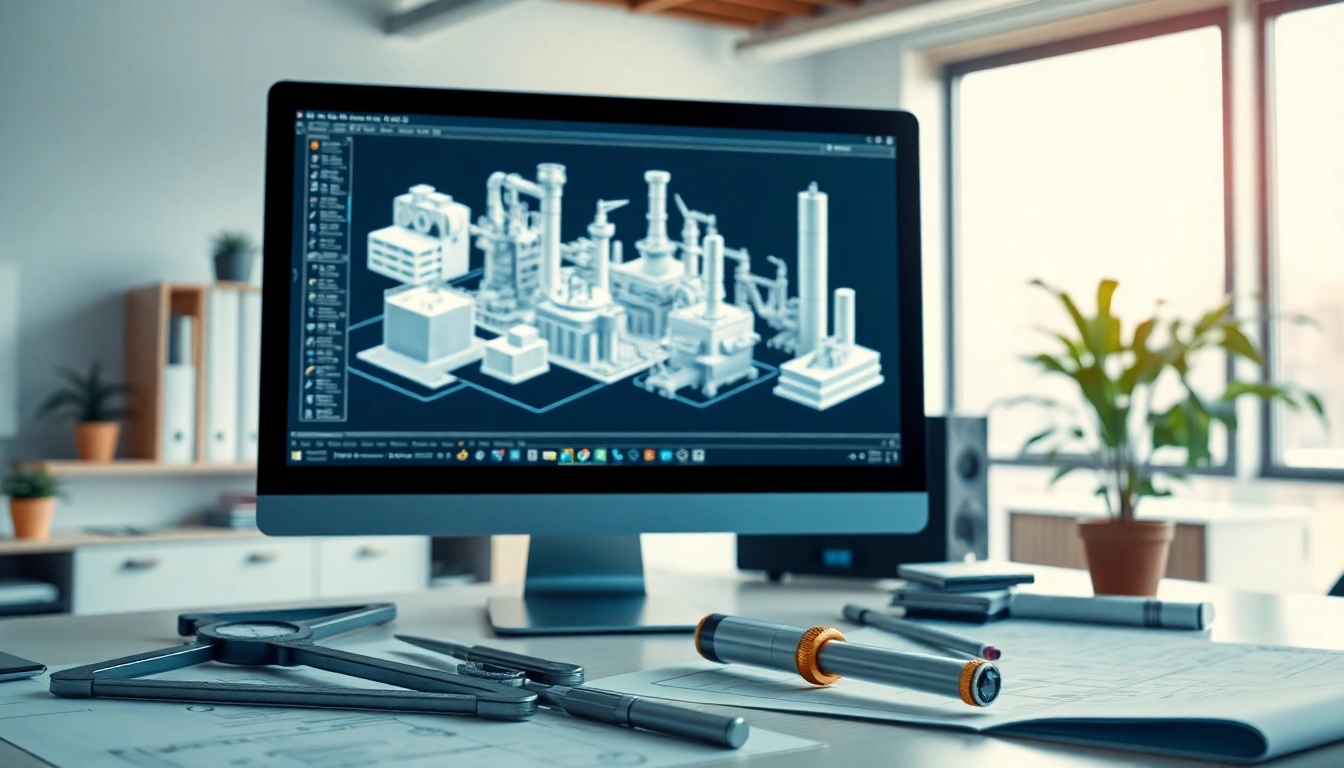
In the realm of design and engineering, Plant 3D modeling has become an essential technique for creating intricate designs of industrial plants. This method blends the elements of 2D drafting with 3D modeling, allowing engineers and architects to visualize complex systems effectively. As industries evolve, the demand for precise, adaptable design solutions continues to rise, making the mastery of Plant 3D modeling a significant asset for professionals.
What is Plant 3D Modeling?
Plant 3D modeling refers to the process of creating 3-dimensional representations of industrial facilities, which may include piping layouts, structural components, and various equipment specific to plants. Utilizing advanced software tools, engineers can develop detailed models that incorporate real-world functionality and compliance with design standards. This capability extends beyond mere visuals; it facilitates better planning, simulation, and project execution.
Key Benefits of Plant 3D Modeling
- Enhanced Visualization: Models can be visualized in real-time, providing clarity and better understanding of spatial relationships.
- Increased Accuracy: Reduces errors in design through simulations and improved data integrity.
- Improved Collaboration: Team members can work on a single model, fostering better communication among stakeholders.
- Cost-Efficient: Early detection of design flaws prevents costly revisions later in the project.
- Streamlined Compliance: Facilitates compliance with industry regulations and standards through built-in checks.
Common Applications of Plant 3D Modeling
Plant 3D modeling is predominantly employed in sectors such as oil and gas, chemical processing, and power generation. Its applications include:
- Piping Design: Creating detailed layouts of tubing systems, crucial for fluid transport.
- Equipment Layout: Positioning machinery and supporting structures within the plant.
- Instrumentation Design: Detailing the control systems integral to the plant's operations.
- Workflow Optimization: Simulating workflows to enhance operational efficiency.
Getting Started with Plant 3D Modeling
System Requirements for Plant 3D Modeling
Before diving into Plant 3D modeling, it is crucial to ensure that your system meets the necessary requirements. A robust computer specification generally includes:
- Processor: Multi-core CPU.
- RAM: Minimum of 16 GB, preferably 32 GB for complex projects.
- Graphics Card: Dedicated GPU with support for DirectX 11 or higher.
- Storage: SSD for faster load times and ample space for large project files.
- Operating System: Latest version of Windows for compatibility with the software.
Basic Tools and Features Overview
Understanding the foundational tools within Plant 3D software is crucial for effective modeling. Key features include:
- 3D Modeling Tools: Comprehensive options for creating complex structures and layouts.
- Piping Object Creation: Predefined libraries for standard piping configurations.
- Equipment Libraries: Access to essential components such as tanks, pumps, and valves.
- Documentation Generation: Automatic creation of orthographic drawings and isometrics.
- Collaboration Features: Integration capabilities with project management systems.
Understanding User Interface and Navigation
A smooth user experience is vital for efficiency in modeling. Familiarizing yourself with the software's interface includes:
- The ribbon, containing tools grouped by functionality.
- The command window for inputting commands directly.
- The viewport for viewing and manipulating your model from various angles.
- Customizable toolbars to streamline your workflow.
Advanced Techniques in Plant 3D Modeling
Creating Complex 3D Models and Structures
Advanced users can leverage Plant 3D’s features for creating articulate structures. Techniques include:
- Using Parametric Modeling: This allows for adjusting parameters to adapt designs dynamically without starting from scratch.
- Assembly Modeling: Grouping components to create a unified model that represents assemblies accurately.
Integrating Piping and Instrumentation Diagrams
Integrating P&IDs into your 3D model ensures that every component aligns with operational processes. Strategies for effective integration consist of:
- Linking P&IDs to relevant 3D components for real-time updates.
- Using a standardized coding system for seamless mapping between diagrams and models.
Customizing Workflows for Efficiency
Tailoring workflows enhances productivity significantly. Some customization methods include:
- Setting up templates for repetitive tasks.
- Automating routine commands using scripts.
- Integrating third-party applications for additional functionalities.
Troubleshooting Common Challenges
Addressing Modeling Errors
Errors can occur during modeling. Common issues include misaligned components or incorrect dimensions. Solutions encompass:
- Utilizing the software’s auditing tools to diagnose problems.
- Setting up validation checks to ensure design integrity.
Performance Optimization Tips
For optimal performance, consider the following tips:
- Regularly update your software to benefit from bug fixes and enhancements.
- Organize your model into manageable sections to improve responsiveness.
- Limit the rendering of detailed visuals while working on the model.
Best Practices for Collaboration
Effective collaboration is key in team settings. Best practices include:
- Establish clear version control guidelines.
- Hold regular collaborative review sessions to foster communication.
- Utilize shared access to databases for real-time updates.
Future Trends in Plant 3D Modeling
Emerging Technologies and Enhancements
As technology advances, so does Plant 3D modeling. Upcoming trends include:
- Integration of virtual and augmented reality for immersive design reviews.
- Enhanced data analytics for informed design decisions based on real-time feedback.
Impact of Artificial Intelligence on Design
AI's incorporation into design processes is set to revolutionize workflows. Potential impacts include:
- Automating mundane tasks to allow designers to focus on creative solutions.
- Predictive modeling to forecast challenges before they arise in the project.
Preparing for Industry Changes
The industry is constantly evolving, requiring professionals to adapt to new standards. Preparation can involve:
- Continued education and training in the latest modeling tools and techniques.
- Staying updated on industry regulations and technological advancements.
Frequently Asked Questions
What software is used for Plant 3D modeling?
Plant 3D modeling typically uses specialized software designed for 3D industrial design, often featuring tools for piping and structural elements.
Is Plant 3D easy to learn?
While Plant 3D has a learning curve, many find it manageable due to comprehensive tutorials and community resources available for beginners.
Can I use Plant 3D for small projects?
Absolutely! Plant 3D can be beneficial for projects of all sizes, providing detailed modeling capabilities regardless of the scale.
How does Plant 3D compare to traditional 2D CAD?
Plant 3D offers a more dynamic and interactive modeling experience than traditional 2D CAD, addressing multiple aspects of design in one platform.
What is the cost of Plant 3D software?
The cost can vary significantly based on licensing models, but expect to invest in a yearly subscription or a one-time purchase option.